Run every supported coding agent side by side, while each keeps its own identity and workflow.
Codex
Claude Code
Gemini
OpenCode
Autohand Code
Qwen Code
Kimi Code
Grok Build
DeepSeek
Cursor
GitHub Copilot
Build in public
See Space being built, live.
Join the real build sessions, follow new features as they land, and ask questions while Space takes shape. The latest YouTube livestream appears here automatically.
Space is open source under the Apache-2.0 license, free to self-host, and currently in alpha preview. It runs on Windows, macOS, and Linux.
Install with npxnpx --yes run-spaceapp install
Self-hosted on your own machine — no account, no subscription, no cloud lock-in.
Before you install
Node.js 20.11 or newer — mandatory; it provides the npx command used by the installer.
Docker — Engine with Docker Compose on Linux, or Docker Desktop on macOS and Windows 11.
At least 4 CPUs, 8 GB RAM, and 15 GiB free disk (8 CPUs, 16 GB RAM, and 25 GiB recommended for the browser profile).
Alpha preview: Space changes quickly and things may break. Report issues and follow releases on GitHub.
Enable hardware virtualization and WSL2 (run wsl --install in an elevated PowerShell, then restart).
Install Node.js 20.11 or newer from nodejs.org — this is mandatory and includes the npx command.
Install Docker Desktop with the WSL2 backend and start it.
Open PowerShell or Windows Terminal and run the install command below. Space reuses Docker Desktop's WSL2 Linux environment — no second virtual machine.
Everything below is a safe, local demo. Open rooms, message a pane, organize artifacts, and tune the workspace.
spaceapp.dev/demo-workspace
Demo environment — commands and messages never leave this page.
Eleven distinct runtimes
Bring the right CLI to every task.
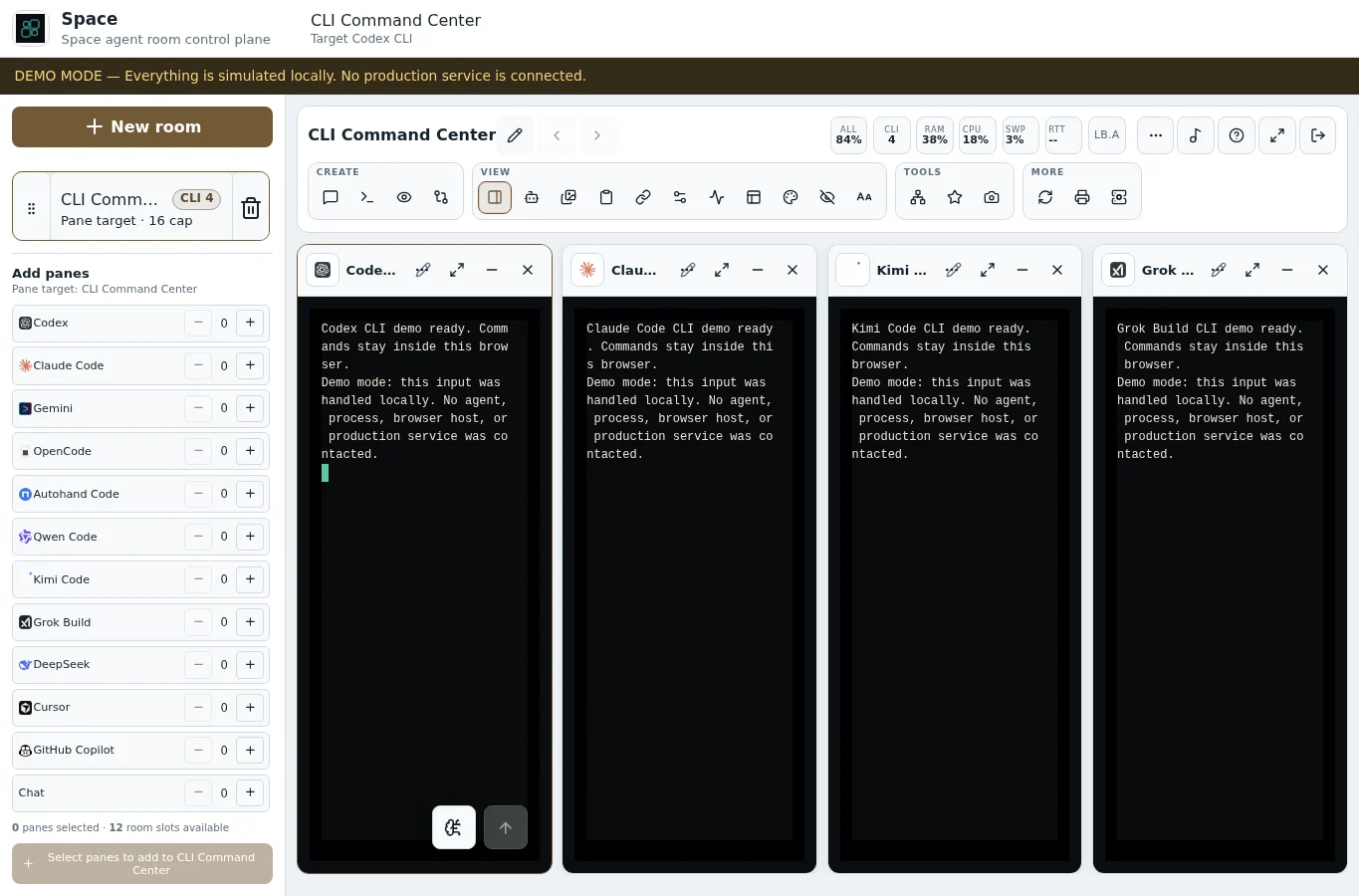
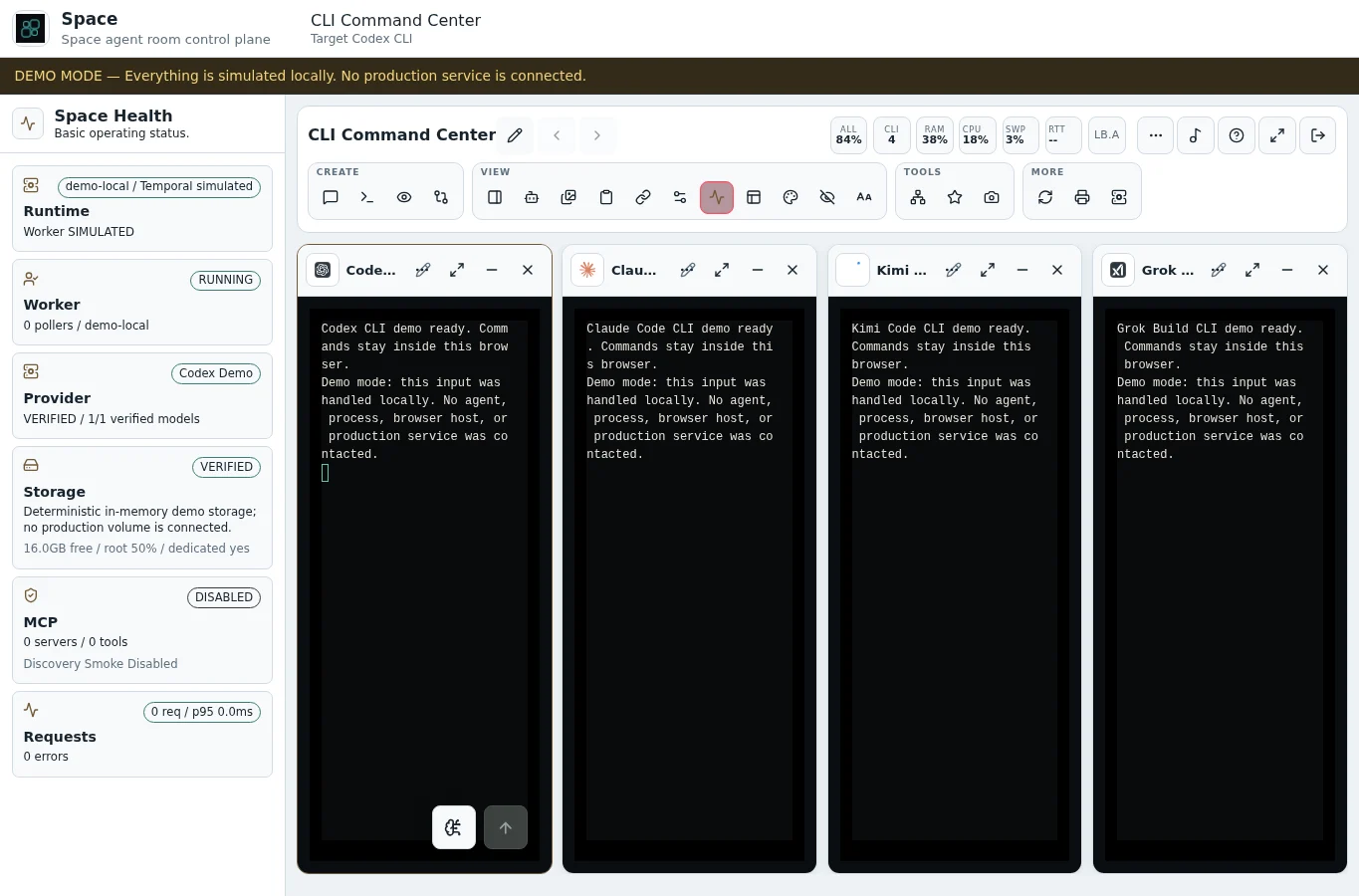
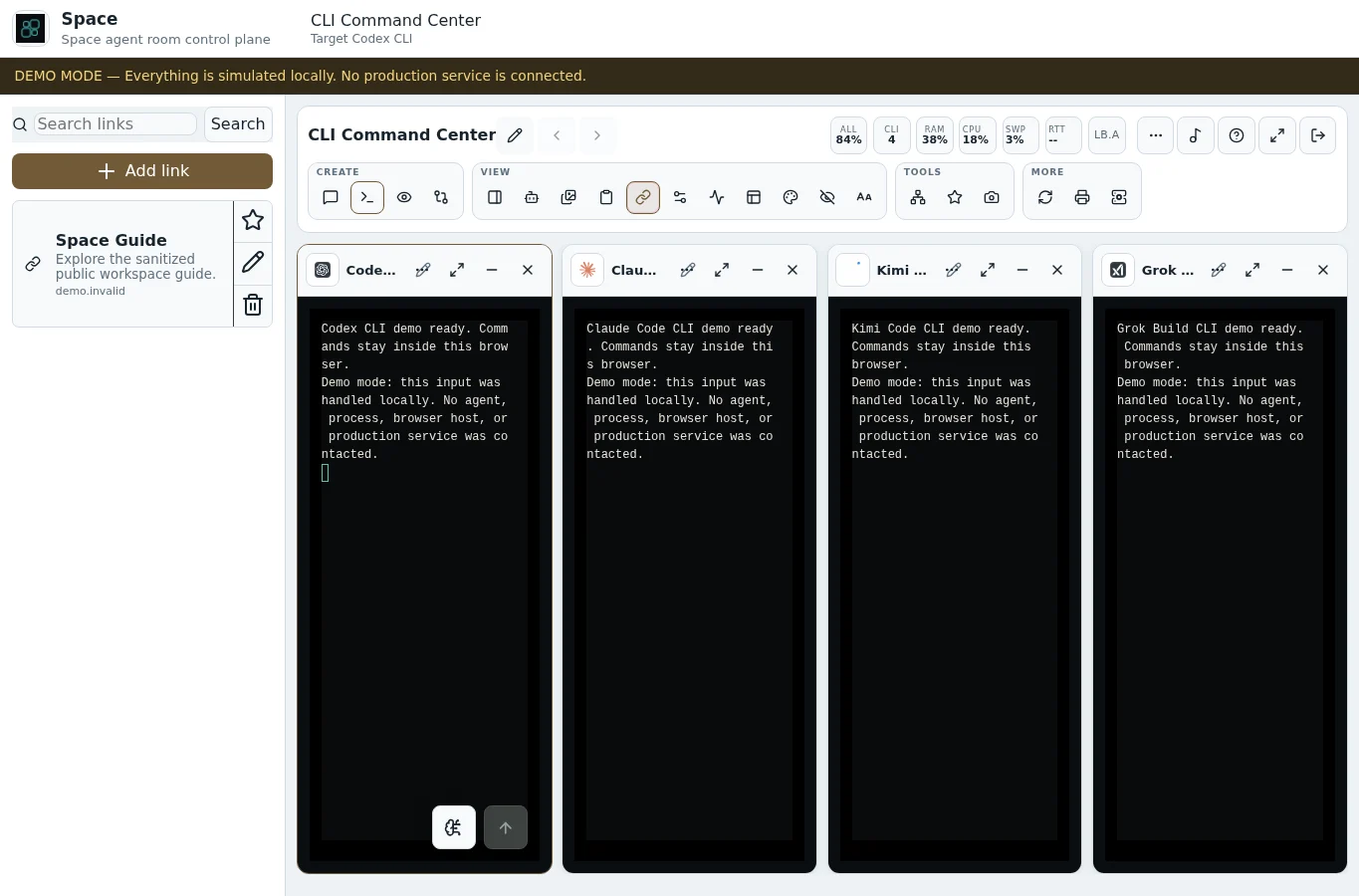
The demo opens with four focused panes — Codex, Claude Code, Kimi Code, and Grok Build. Add any of the eleven supported CLIs locally; each keeps its identity, metadata, controls, and transcript.
Codex
Codex CLI
OpenAI Codex for deep implementation, review, and long-running engineering tasks.
GPT-5.6 SolBuild + Plan
Claude Code
Claude Code CLI
Claude Code for architecture, careful refactors, and repository-scale reasoning.
Claude Opus 4.5Build + Plan
Gemini
Gemini CLI
Gemini CLI for multimodal investigation, broad context, and responsive audits.
Gemini 3 ProBuild + Plan
OpenCode
OpenCode CLI
OpenCode for an open, provider-flexible terminal workflow inside the same room.
Provider flexibleBuild + Plan
Autohand Code
Autohand Code CLI
Autohand Code for autonomous coding loops in a deterministic local demo route.
Autohand CodeBuild + Plan
Qwen Code
Qwen Code CLI
Qwen Code for coding, accessibility reviews, and multilingual development work.
Qwen3 CoderBuild + Plan
Kimi Code
Kimi Code CLI
Kimi Code for large-context exploration, documentation, and implementation.
Kimi K2.5Build + Plan
Grok Build
Grok Build CLI
Grok Build for fast build loops, code generation, and production validation.
Grok Code FastBuild + Plan
DeepSeek
DeepSeek CLI
DeepSeek for a focused text-only workflow with history, stop, copy, and reconnect.
DeepSeek V4 FlashText-only
Cursor
Cursor CLI
Cursor CLI for editor-first coding workflows with shared Space task history.
Cursor AutoBuild + Plan
GitHub Copilot
GitHub Copilot CLI
GitHub Copilot CLI for repository tasks and terminal-native implementation.
Copilot AutoBuild + Plan
Common History
Continue any CLI task from one shared history.
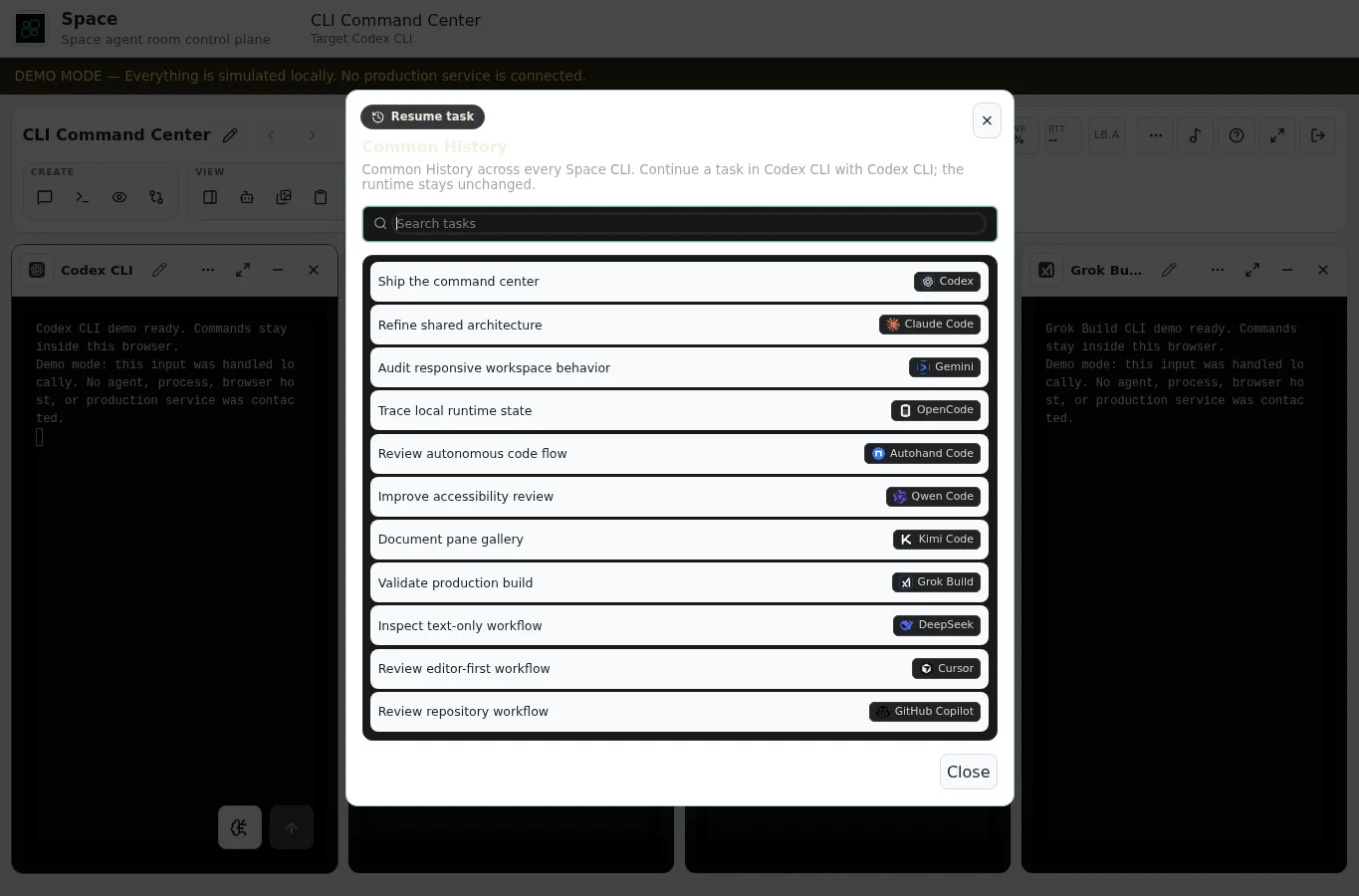
Search work from all eleven providers, choose a task, and continue it inside the pane already in front of you. The destination runtime stays unchanged.
Search across all eleven providers
Find tasks by title, prompt, provider, model, or workspace path.
Resume without runtime switching
A Qwen task can continue in a Codex pane while that pane remains Codex.
One browser-local timeline
The public demo ships deterministic history only — no real sessions or credentials.
Common History11 tasks
Search tasks⌘ K
Ship the command centerCodex · GPT-5.6 Sol
Refine shared architectureClaude Code · Claude Opus 4.5
Audit responsive workspace behaviorGemini · Gemini 3 Pro
Trace local runtime stateOpenCode · Provider flexible
Review repository workflowGitHub Copilot · Copilot Auto
Inside Space
Real surfaces, real work.
Straight from the live demo — the docks, graphs, and command centers that keep a room honest.
Four panes, eleven CLIsStart with Codex, Claude Code, Kimi Code, and Grok Build; add any of eleven CLI runtimes locally.
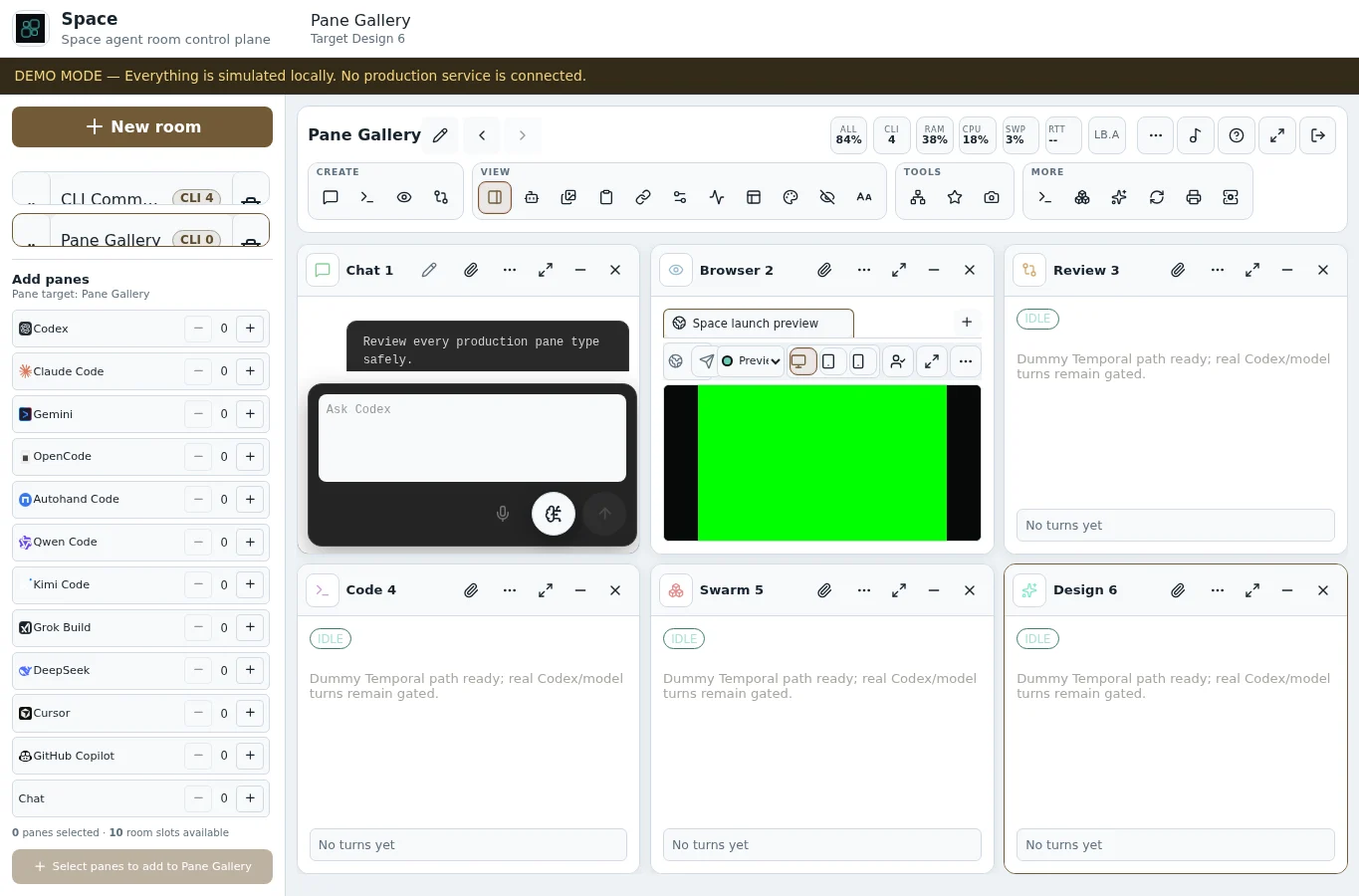
Every pane typeSwitch rooms to explore Chat, Browser, Review, Code, Swarm, and Design.
Common HistorySearch every CLI task and continue it without changing the destination runtime.
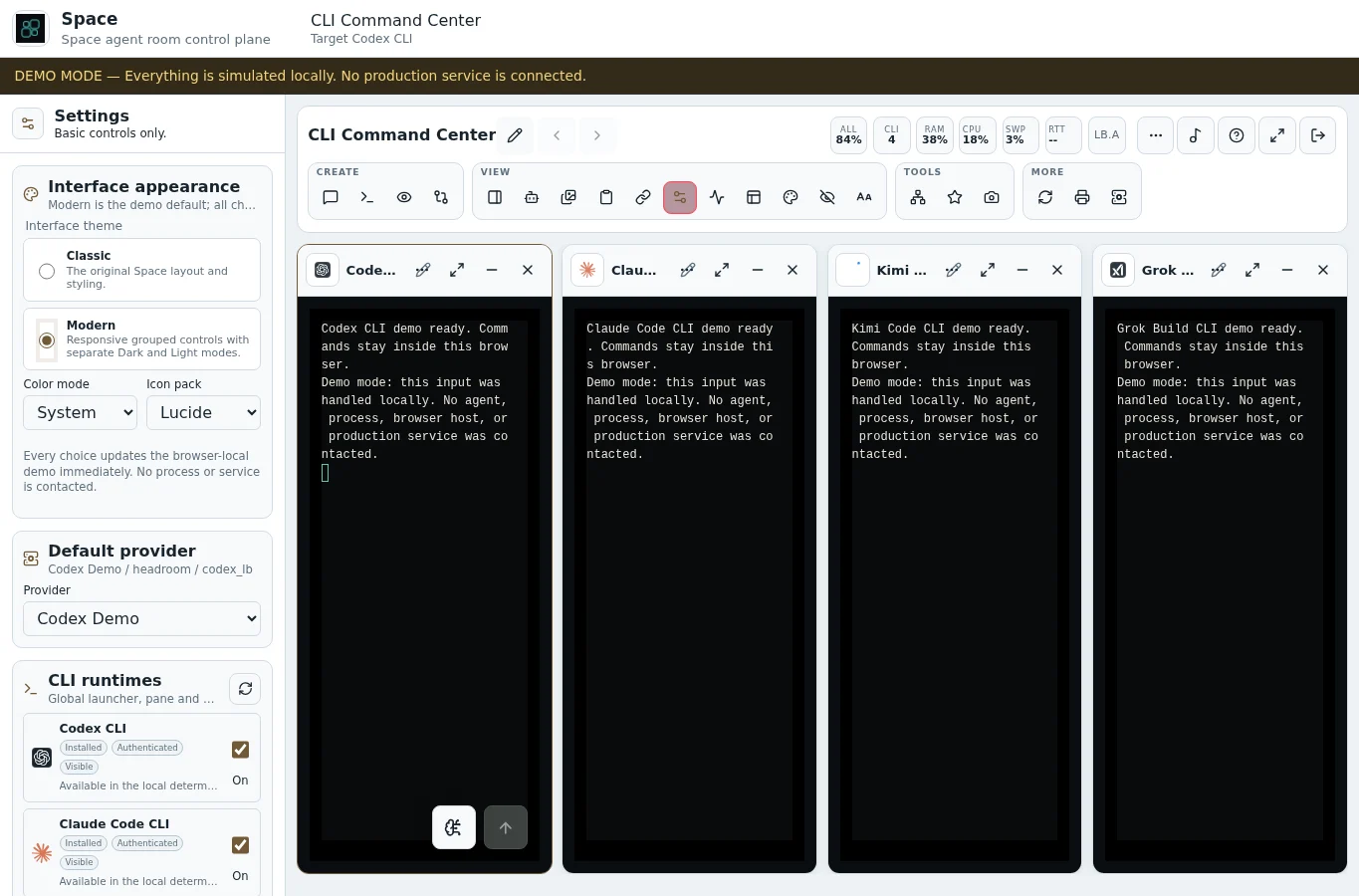
Choose your CLI lineupShow or hide runtimes with an exact preview of panes and sessions affected.
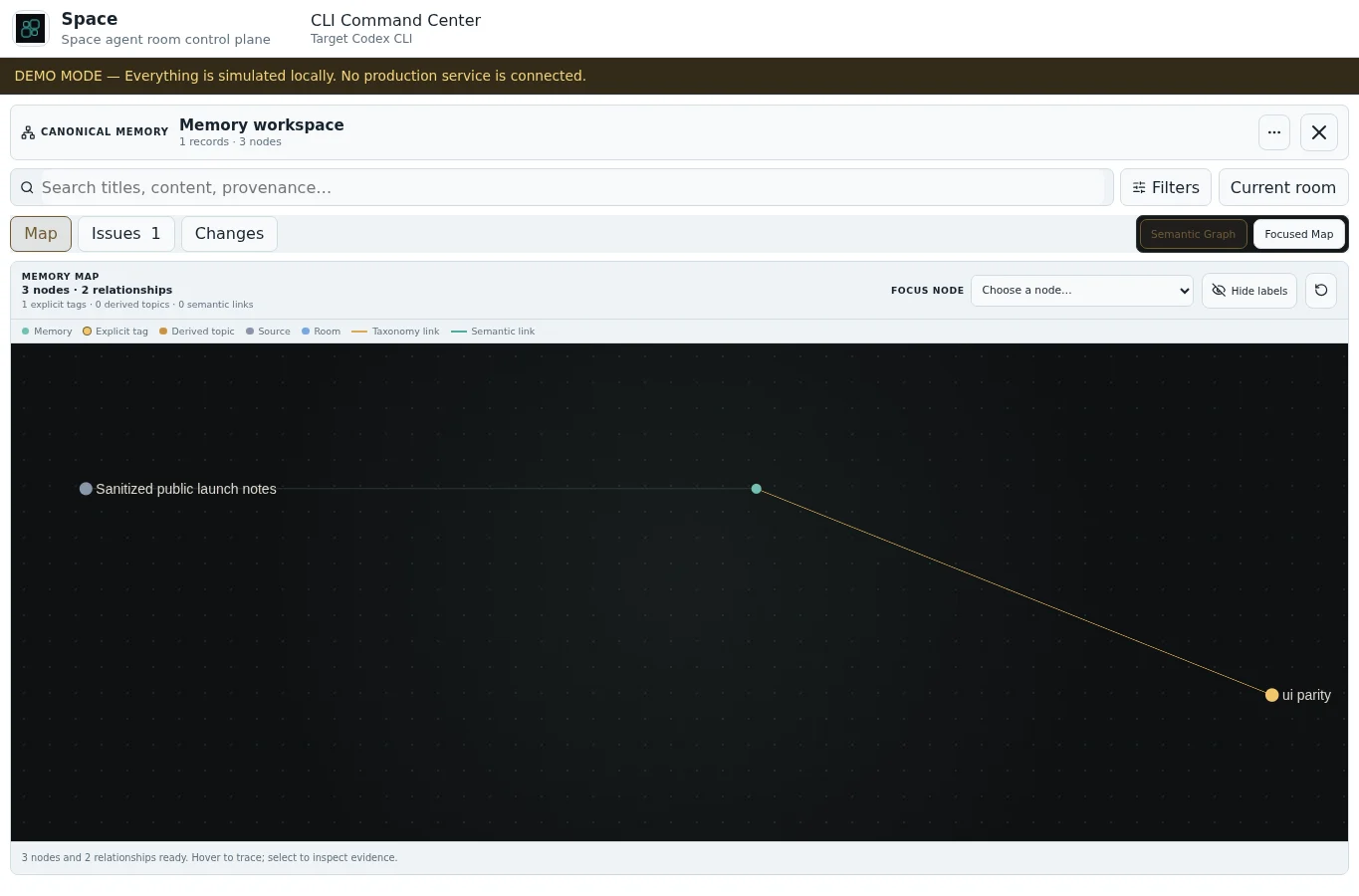
The memory graphInspect what Space knows, audit issues, and approve every change.
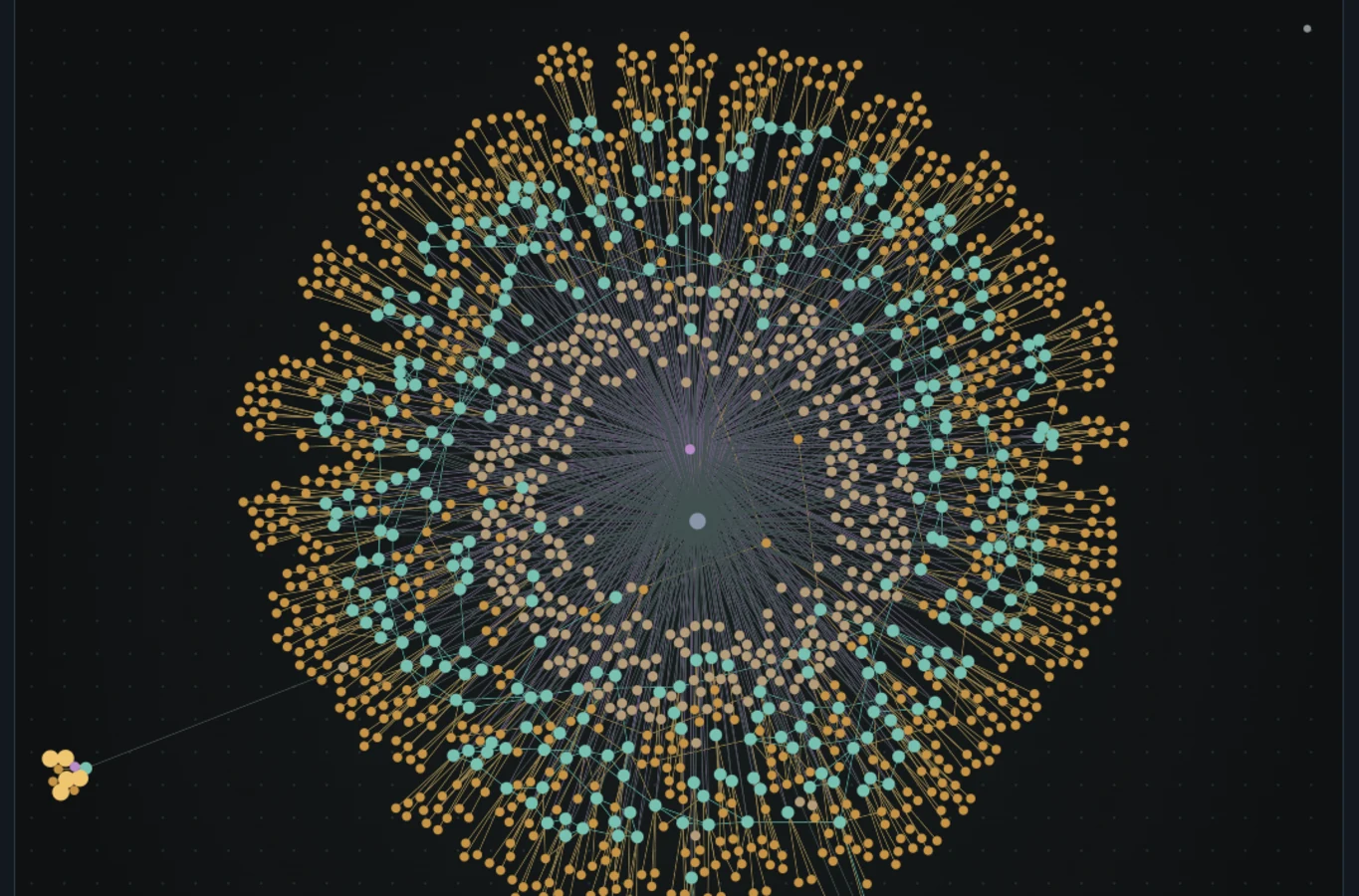
Canonical memory at scaleTrace thousands of relationships across memories, sources, rooms, and topics.
The health command centerRuntime, worker, provider, storage, MCP, and requests at a glance.
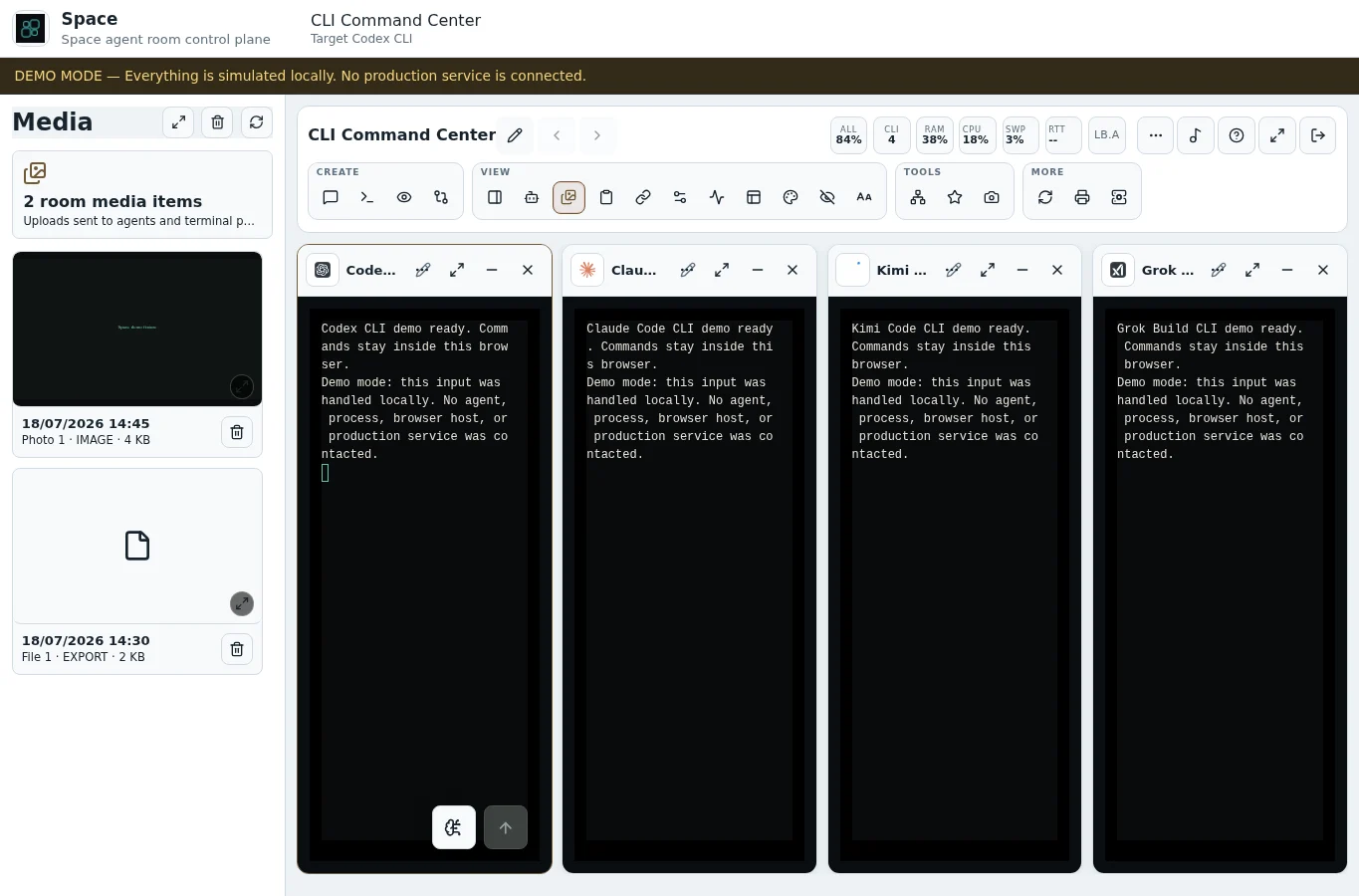
Every artifact collectedUploads and captures gather in a room-scoped media gallery.
Your link libraryTrusted links, quick links, and embedded previews beside the work.
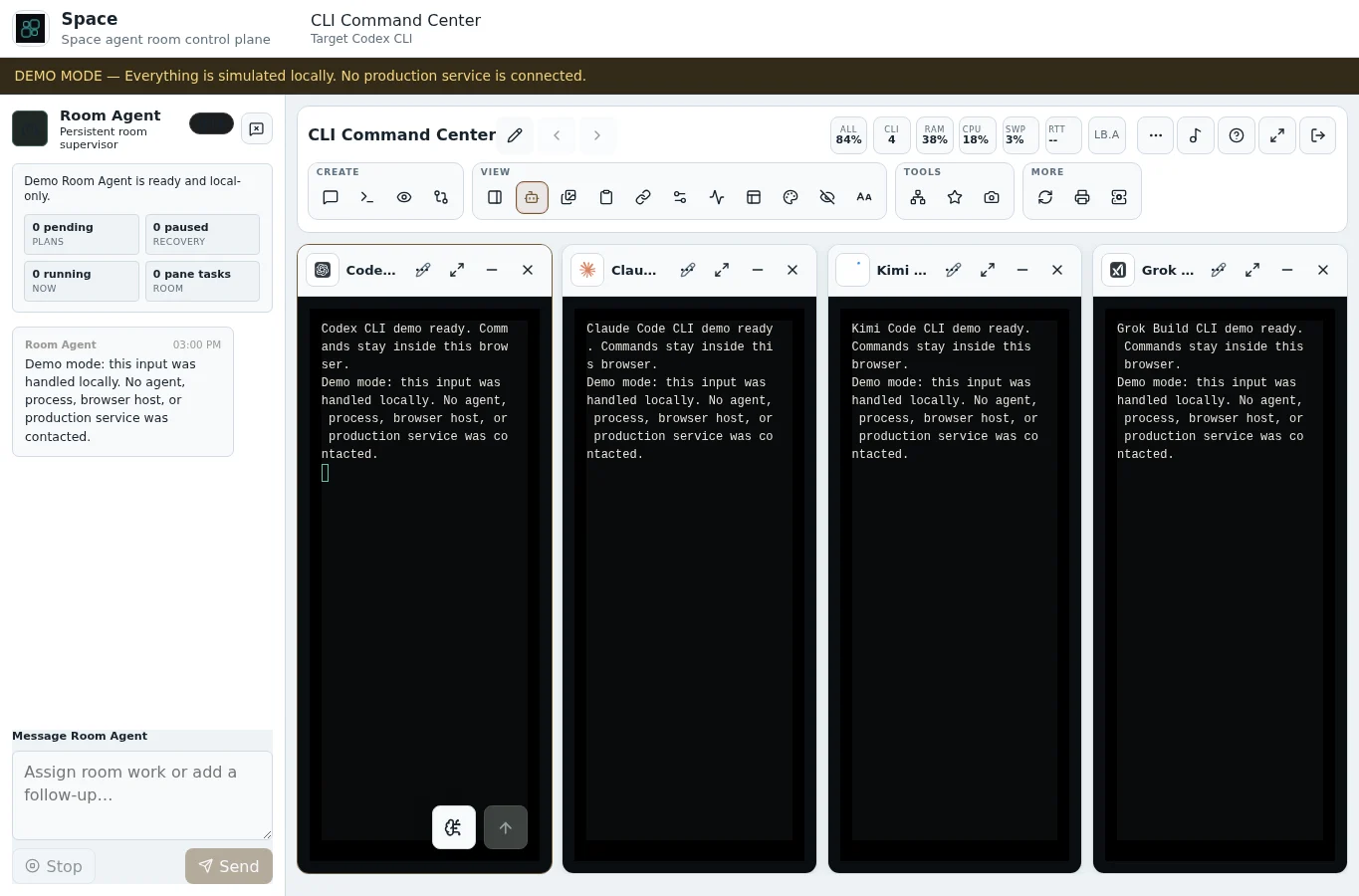
The room supervisorAt launch: room goals, agent supervision, priority scheduling, conflict-safe file ownership, and completion evidence.
How it works
Three moves. One calm workspace.
Space is not another chat window. It is a system of rooms where every kind of work has its place.
01
Create a room
Give every mission its own room — a launch, a research thread, an ops shift — so contexts never collide.
02
Add your panes
Chat with agents or dictate with realtime voice, attach real CLI terminals, pin browser views — all side by side.
03
Let the work flow
Agents keep their context, artifacts stay within reach, and you stay in flow while the room does the heavy lifting.
Designed as a system
Keep the work together, not just the chat.
Every pane in a room exists for a reason — and stays exactly where you need it.
ROOM AGENT · IN DEVELOPMENT FOR LAUNCH
Give the room a goal. Room Agent will run the mission.
At launch, /goal will define a goal for the whole room or for a specific task. Room Agent will break the mission into coordinated pane work, assign and supervise every agent, track dependencies and progress, recover or re-prioritize stalled work, and remain on watch until every task is complete with verified evidence.
It will control app and file ownership so two agents are never scheduled into the same app or files at the same time. Priority-aware scheduling will send the next safe, highest-priority implementation to the right agent.
Codex, Claude Code, Gemini, OpenCode, Autohand Code, Qwen Code, Kimi Code, Grok Build, DeepSeek, Cursor, and GitHub Copilot will share one governed operating layer: the same skills library, approved MCP server catalog and canonical memory, delivered through each runtime’s supported integration path.
Canonical memory will use a Room, Project and System taxonomy with tags, provenance, lifecycle states and audited change sets. Deterministic Greek/English TF-IDF topic vectors and cosine-similarity relationships will connect related knowledge.
Inside Space, an Obsidian-style knowledge graph powered by Graphology, Sigma and ForceAtlas2 will provide clustered and relationship views without leaving the app. Common History will preserve operational continuity across all eleven CLI runtimes.
Sixteen panes per room, one-click presets, and warm rooms that keep every session alive between switches.
Eleven CLIs, one grid
Eleven distinct CLI runtimes, with four focused starter panes, correct branding, shared history, and runtime-aware controls.
Managed browsers, built in
Live Chrome panes with tabs, device viewports, evidence capture, and one-click operator handoff.
Clips, links and captures
Private clipboard history, one-click screen captures into any pane, and a media dock that keeps every artifact.
16panes per room
11CLI runtimes
5room themes
200+documented controls
100clips in history
3adaptive shells
Where Space is headed
A steady course, shared early.
Now
Open alpha preview
Space is open source and free — the interactive demo is live, and the self-hosted app installs with one npx command.
Next
Shaped in public
Alpha feedback through GitHub and Discord drives the roadmap as new rooms and capabilities open up.
Later
Stable launch
Space reaches a stable release, shaped by what the alpha community teaches us.
Built for operators
Your workspace, your terms.
Space is built the way we would want our own tools built — quiet, honest, and respectful of your attention and your data.
Open source (Apache-2.0) and free to self-host
Self-hosted and privacy-first
The demo runs entirely in your browser
Contact details are used only to reply
No tracking pixels, no ad tech
Questions
Frequently asked questions.
What exactly is Space?
Space will be a room-based workspace for eleven AI CLI runtimes, Common History, shared skills, governed MCP, canonical memory, and Room Agent orchestration alongside chat, browser context, media, links, and focus music.
Is the demo safe to explore?
Yes. The demo runs entirely in your browser with fixture data. No account, no real AI calls, and nothing you type ever leaves the page.
Which CLI runtimes are included?
The demo includes Codex, Claude Code, Gemini, OpenCode, Autohand Code, Qwen Code, Kimi Code, Grok Build, DeepSeek, Cursor, and GitHub Copilot. Common History lets you search tasks across all eleven while the destination pane keeps its own runtime.
How do I install Space?
Install Node.js 20.11 or newer (it provides npx) and Docker, then run npx --yes run-spaceapp install. The install section above has per-OS steps for Windows, macOS, and Linux, and the full guide lives on GitHub.
What does Space cost?
Nothing. Space is open source under the Apache-2.0 license and free to self-host on your own machine.
Where does my data go?
The demo keeps everything on your device. Contact-form details are used only to read your message and reply.
Is there a community?
Yes. The SpaceApp.dev Discord community is live.Join Discord.
Contact
Tell us what you’re building.
Ask about Space, private preview access, or the workspace your team needs. We’ll reply personally.

,%20adapted%20to%20the%20dark%20Space%20badge.%20--%3e%3csvg%20fill='%23fff'%20fill-rule='evenodd'%20viewBox='0%200%2024%2024'%20xmlns='http://www.w3.org/2000/svg'%3e%3ctitle%3eCodex%3c/title%3e%3cpath%20d='M9.205%208.658v-2.26c0-.19.072-.333.238-.428l4.543-2.616c.619-.357%201.356-.523%202.117-.523%202.854%200%204.662%202.212%204.662%204.566%200%20.167%200%20.357-.024.547l-4.71-2.759a.797.797%200%2000-.856%200l-5.97%203.473zm10.609%208.8V12.06c0-.333-.143-.57-.429-.737l-5.97-3.473%201.95-1.118a.433.433%200%2001.476%200l4.543%202.617c1.309.76%202.189%202.378%202.189%203.948%200%201.808-1.07%203.473-2.76%204.163zM7.802%2012.703l-1.95-1.142c-.167-.095-.239-.238-.239-.428V5.899c0-2.545%201.95-4.472%204.591-4.472%201%200%201.927.333%202.712.928L8.23%205.067c-.285.166-.428.404-.428.737v6.898zM12%2015.128l-2.795-1.57v-3.33L12%208.658l2.795%201.57v3.33L12%2015.128zm1.796%207.23c-1%200-1.927-.332-2.712-.927l4.686-2.712c.285-.166.428-.404.428-.737v-6.898l1.974%201.142c.167.095.238.238.238.428v5.233c0%202.545-1.974%204.472-4.614%204.472zm-5.637-5.303l-4.544-2.617c-1.308-.761-2.188-2.378-2.188-3.948A4.482%204.482%200%20014.21%206.327v5.423c0%20.333.143.571.428.738l5.947%203.449-1.95%201.118a.432.432%200%2001-.476%200zm-.262%203.9c-2.688%200-4.662-2.021-4.662-4.519%200-.19.024-.38.047-.57l4.686%202.71c.286.167.571.167.856%200l5.97-3.448v2.26c0%20.19-.07.333-.237.428l-4.543%202.616c-.619.357-1.356.523-2.117.523zm5.899%202.83a5.947%205.947%200%20005.827-4.756C22.287%2018.339%2024%2015.84%2024%2013.296c0-1.665-.713-3.282-1.998-4.448.119-.5.19-.999.19-1.498%200-3.401-2.759-5.947-5.946-5.947-.642%200-1.26.095-1.88.31A5.962%205.962%200%200010.205%200a5.947%205.947%200%2000-5.827%204.757C1.713%205.447%200%207.945%200%2010.49c0%201.666.713%203.283%201.998%204.448-.119.5-.19%201-.19%201.499%200%203.401%202.759%205.946%205.946%205.946.642%200%201.26-.095%201.88-.309a5.96%205.96%200%20004.162%201.713z'%20/%3e%3c/svg%3e)
.%20--%3e%3csvg%20viewBox='0%200%2024%2024'%20xmlns='http://www.w3.org/2000/svg'%3e%3ctitle%3eClaude%3c/title%3e%3cpath%20d='M4.709%2015.955l4.72-2.647.08-.23-.08-.128H9.2l-.79-.048-2.698-.073-2.339-.097-2.266-.122-.571-.121L0%2011.784l.055-.352.48-.321.686.06%201.52.103%202.278.158%201.652.097%202.449.255h.389l.055-.157-.134-.098-.103-.097-2.358-1.596-2.552-1.688-1.336-.972-.724-.491-.364-.462-.158-1.008.656-.722.881.06.225.061.893.686%201.908%201.476%202.491%201.833.365.304.145-.103.019-.073-.164-.274-1.355-2.446-1.446-2.49-.644-1.032-.17-.619a2.97%202.97%200%2001-.104-.729L6.283.134%206.696%200l.996.134.42.364.62%201.414%201.002%202.229%201.555%203.03.456.898.243.832.091.255h.158V9.01l.128-1.706.237-2.095.23-2.695.08-.76.376-.91.747-.492.584.28.48.685-.067.444-.286%201.851-.559%202.903-.364%201.942h.212l.243-.242.985-1.306%201.652-2.064.73-.82.85-.904.547-.431h1.033l.76%201.129-.34%201.166-1.064%201.347-.881%201.142-1.264%201.7-.79%201.36.073.11.188-.02%202.856-.606%201.543-.28%201.841-.315.833.388.091.395-.328.807-1.969.486-2.309.462-3.439.813-.042.03.049.061%201.549.146.662.036h1.622l3.02.225.79.522.474.638-.079.485-1.215.62-1.64-.389-3.829-.91-1.312-.329h-.182v.11l1.093%201.068%202.006%201.81%202.509%202.33.127.578-.322.455-.34-.049-2.205-1.657-.851-.747-1.926-1.62h-.128v.17l.444.649%202.345%203.521.122%201.08-.17.353-.608.213-.668-.122-1.374-1.925-1.415-2.167-1.143-1.943-.14.08-.674%207.254-.316.37-.729.28-.607-.461-.322-.747.322-1.476.389-1.924.315-1.53.286-1.9.17-.632-.012-.042-.14.018-1.434%201.967-2.18%202.945-1.726%201.845-.414.164-.717-.37.067-.662.401-.589%202.388-3.036%201.44-1.882.93-1.086-.006-.158h-.055L4.132%2018.56l-1.13.146-.487-.456.061-.746.231-.243%201.908-1.312-.006.006z'%20fill='%23D97757'%20fill-rule='nonzero'%20/%3e%3c/svg%3e)

%202025%20opencode.%20--%3e%3csvg%20width='300'%20height='300'%20viewBox='0%200%20300%20300'%20fill='none'%20xmlns='http://www.w3.org/2000/svg'%3e%3cg%20transform='translate(30,%200)'%3e%3cg%20clip-path='url(%23opencode-square-clip)'%3e%3cmask%20id='opencode-square-mask'%20style='mask-type:luminance'%20maskUnits='userSpaceOnUse'%20x='0'%20y='0'%20width='240'%20height='300'%3e%3cpath%20d='M240%200H0V300H240V0Z'%20fill='white'/%3e%3c/mask%3e%3cg%20mask='url(%23opencode-square-mask)'%3e%3cpath%20d='M180%20240H60V120H180V240Z'%20fill='%234B4646'/%3e%3cpath%20d='M180%2060H60V240H180V60ZM240%20300H0V0H240V300Z'%20fill='%23F1ECEC'/%3e%3c/g%3e%3c/g%3e%3c/g%3e%3cdefs%3e%3cclipPath%20id='opencode-square-clip'%3e%3crect%20width='240'%20height='300'%20fill='white'/%3e%3c/clipPath%3e%3c/defs%3e%3c/svg%3e)


.%20--%3e%3csvg%20viewBox='0%200%2024%2024'%20xmlns='http://www.w3.org/2000/svg'%3e%3ctitle%3eKimi%3c/title%3e%3cpath%20d='M21.846%200a1.923%201.923%200%20110%203.846H20.15a.226.226%200%2001-.227-.226V1.923C19.923.861%2020.784%200%2021.846%200z'%20fill='%231783FF'%20/%3e%3cpath%20d='M11.065%2011.199l7.257-7.2c.137-.136.06-.41-.116-.41H14.3a.164.164%200%2000-.117.051l-7.82%207.756c-.122.12-.302.013-.302-.179V3.82c0-.127-.083-.23-.185-.23H3.186c-.103%200-.186.103-.186.23V19.77c0%20.128.083.23.186.23h2.69c.103%200%20.186-.102.186-.23v-3.25c0-.069.025-.135.069-.178l2.424-2.406a.158.158%200%2001.205-.023l6.484%204.772a7.677%207.677%200%20003.453%201.283c.108.012.2-.095.2-.23v-3.06c0-.117-.07-.212-.164-.227a5.028%205.028%200%2001-2.027-.807l-5.613-4.064c-.117-.078-.132-.279-.028-.381z'%20fill='%23fff'%20/%3e%3c/svg%3e)
,%20adapted%20to%20the%20dark%20Space%20badge.%20--%3e%3csvg%20fill='%23fff'%20fill-rule='evenodd'%20viewBox='0%200%2024%2024'%20xmlns='http://www.w3.org/2000/svg'%3e%3ctitle%3eGrok%3c/title%3e%3cpath%20d='M6.469%208.776L16.512%2023h-4.464L2.005%208.776H6.47zm-.004%207.9l2.233%203.164L6.467%2023H2l4.465-6.324zM22%202.582V23h-3.659V7.764L22%202.582zM22%201l-9.952%2014.095-2.233-3.163L17.533%201H22z'%20/%3e%3c/svg%3e)


%20--%3e%3csvg%20xmlns='http://www.w3.org/2000/svg'%20width='24'%20height='24'%20viewBox='0%200%2024%2024'%3e%3cpath%20d='M23.922%2016.992c-.861%201.495-5.859%205.023-11.922%205.023-6.063%200-11.061-3.528-11.922-5.023A.641.641%200%200%201%200%2016.736v-2.869a.841.841%200%200%201%20.053-.22c.372-.935%201.347-2.292%202.605-2.656.167-.429.414-1.055.644-1.517a10.195%2010.195%200%200%201-.052-1.086c0-1.331.282-2.499%201.132-3.368.397-.406.89-.717%201.474-.952%201.399-1.136%203.392-2.093%206.122-2.093%202.731%200%204.767.957%206.166%202.093.584.235%201.077.546%201.474.952.85.869%201.132%202.037%201.132%203.368%200%20.368-.014.733-.052%201.086.23.462.477%201.088.644%201.517%201.258.364%202.233%201.721%202.605%202.656a.832.832%200%200%201%20.053.22v2.869a.641.641%200%200%201-.078.256ZM12.172%2011h-.344a4.323%204.323%200%200%201-.355.508C10.703%2012.455%209.555%2013%207.965%2013c-1.725%200-2.989-.359-3.782-1.259a2.005%202.005%200%200%201-.085-.104L4%2011.741v6.585c1.435.779%204.514%202.179%208%202.179%203.486%200%206.565-1.4%208-2.179v-6.585l-.098-.104s-.033.045-.085.104c-.793.9-2.057%201.259-3.782%201.259-1.59%200-2.738-.545-3.508-1.492a4.323%204.323%200%200%201-.355-.508h-.016.016Zm.641-2.935c.136%201.057.403%201.913.878%202.497.442.544%201.134.938%202.344.938%201.573%200%202.292-.337%202.657-.751.384-.435.558-1.15.558-2.361%200-1.14-.243-1.847-.705-2.319-.477-.488-1.319-.862-2.824-1.025-1.487-.161-2.192.138-2.533.529-.269.307-.437.808-.438%201.578v.021c0%20.265.021.562.063.893Zm-1.626%200c.042-.331.063-.628.063-.894v-.02c-.001-.77-.169-1.271-.438-1.578-.341-.391-1.046-.69-2.533-.529-1.505.163-2.347.537-2.824%201.025-.462.472-.705%201.179-.705%202.319%200%201.211.175%201.926.558%202.361.365.414%201.084.751%202.657.751%201.21%200%201.902-.394%202.344-.938.475-.584.742-1.44.878-2.497Z'/%3e%3cpath%20d='M14.5%2014.25a1%201%200%200%201%201%201v2a1%201%200%200%201-2%200v-2a1%201%200%200%201%201-1Zm-5%200a1%201%200%200%201%201%201v2a1%201%200%200%201-2%200v-2a1%201%200%200%201%201-1Z'/%3e%3c/svg%3e)